Save The Dwarf
Playable Builds
This game was also one of the first games I ever made, much like the last one. However the difference is that this was a project that I had been working on in my spare time that as a new dev I was hoping to eventually attempt to get on steam via steam greenlight. Back when it wasn't so easy to publish games on steam.
Details
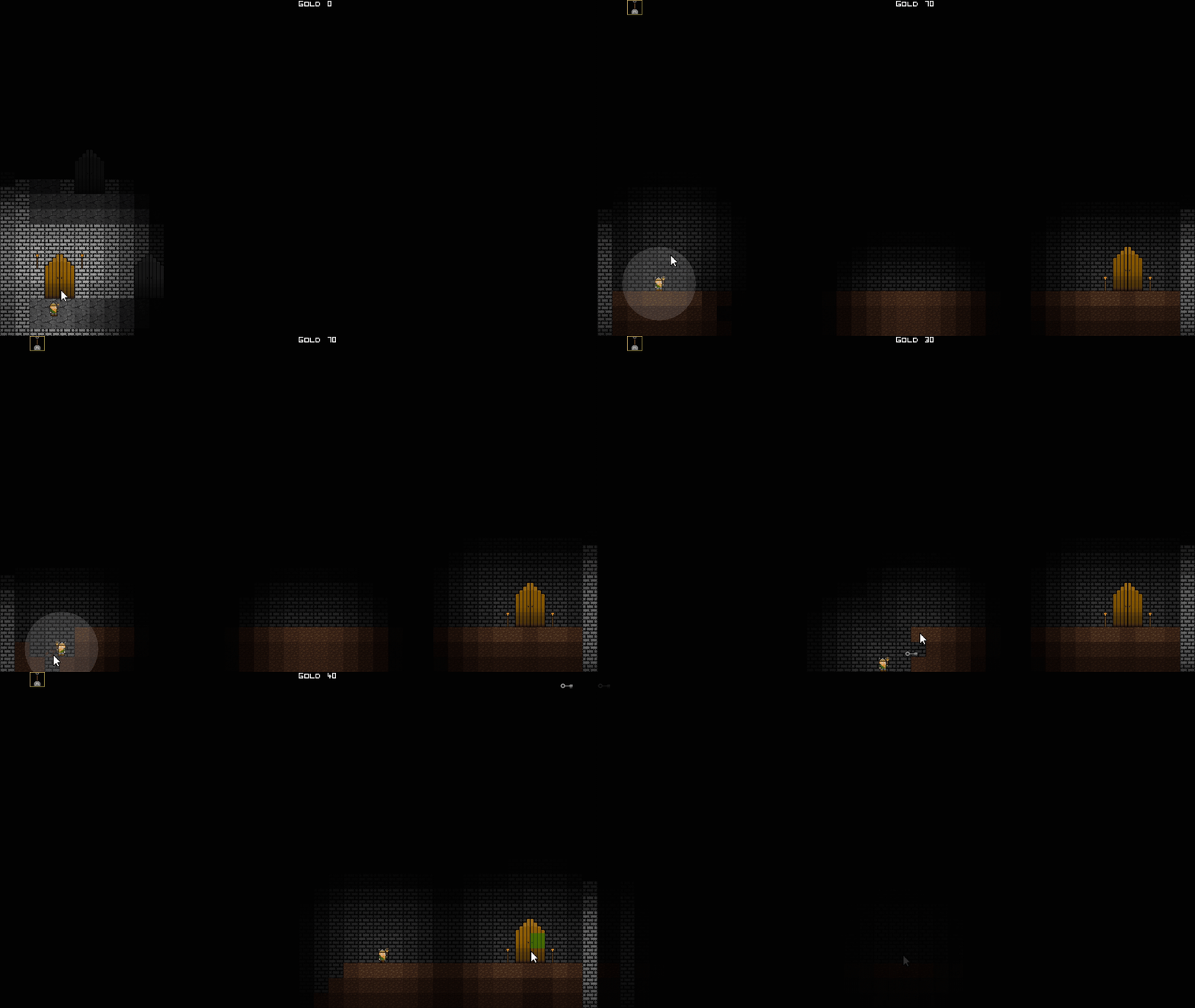
Anyway this was planned to be a long term project at the time but when I got a potential job offer I decided to scale it down and try and condense it into a short, rough but still relatively whole small game.
That way I'd have something that felt more finished for my portfolio. In the end it only ever became a portfolio piece, after finding employment.
INFO
- Playable: Yes
- Source Code: No
- Date: Est. 2013
- Project Type: Portfolio Piece
- Platforms: Windows
- Engine: GameMaker
- Role: Everything
Original Documentation From 2013
Gameplay Concept
Save The Dwarf is a point and click game where the player controls a small dwarf character that must escape a series of dungeons by digging through various materials in order to find all the keys necessary to unlock all the doors in a larger "over dungeon" and finally escape. The player will be able to use light to find their way around a level.
Key Development Concepts
Level Generation
This game was the product of several programming experiments for randomly generating levels as opposed to building them block by block. This idea evolved into a methodology of create a series of level templates, each of which used slightly different methods of generating levels.
This means each template can simply be copied and pasted in order to generate the desired number of levels of a certain construction. Then whenever more variation or new ideas need to be introduced another template can be utilised and then copied and pasted again to create the desired number if new level variations.
Once I had built a couple of level templates I then wanted to find a way for the level content to vary. The way I achieved this was to still place the content of a level manually but have its location change at random within certain relevant parameters. This technique can be seen by replaying or restart a level by pressing "R" and seeing how the content of a level changes position.
This idea was developed in order to enable me to develop a larger game in a shorter period of time.
Lighting
The other key component of this game is the lighting system. Objects in the game that use the lighting system are split into two categories; light sources and none light sources. Light sources cause non light sources to be re-coloured within a configurable range. Essentially just by gradually re-colouring non light sources with the colour black.
Using items as light sources allows the player to immediately find places and items of interest.
Gameplay Video
This is a full playthrough of the game so if for whatever reason you want to avoid spoilers, you've been warned.
Controls
Left Click: Collect item, destroy block, enter door.
Right Click: Select character destination
Mouse Wheel Click: Destroy destination (stop character)
Mouse Wheel: Select tool
Enter: Fullscreen
R: Restart level
ESC: Quit game
Note: If you get stuck on a level press "R" to start the level again.